Grooved webbing for straps
Grooves create a directional surface that may contact an adjuster unevenly. Check the rib spacing, front and back faces, and sliding behaviour on the intended hardware.
Content updated
In this guide
Key choices for your project
Record the groove direction, spacing and depth rather than approving texture by name. A channel under a buckle bar can alter contact and adjustment. If the surface collects dirt in the intended use, include cleaning in the sample trial.
- Groove spacing
- Contact with the adjuster bar
- Cleaning of the recessed surface
A shifted groove can change buckle contact
Imagine grooved webbing running straight through one adjuster. On another piece, the relief sits sideways: one bar lands on a ridge while the next enters a channel. The strap tracks toward an edge, and a seam across the deepest recess forms uneven stitches.
Dimension grooves from an edge or centre line and overlay hardware bars, folds and seams. Weave a marked full-width trial; thread it through production hardware in both face directions. Move it through the intended travel, inspect tracking and stitches, add representative soil if relevant, then clean as agreed.
Approve groove geometry and lateral position together with hardware, seams, travel and cleaning; the texture name alone predicts none of these interfaces.
Align groove positions with hardware contact zones
Dimension each groove from a defined tape edge or centre line, then overlay the buckle bars on the drawing. A small lateral shift can put one bar on a ridge and another in a channel, changing tracking from piece to piece. Approve the pattern position and hardware together, including the allowed lateral variation.
- Groove centre measured from a defined datum
- Buckle bars mapped across ridges and channels
Protect printed and sewn zones from the relief
Mark where a logo, label or seam crosses the textured face. Recesses can interrupt a printed line or leave part of a stitch unsupported, while a raised rib under a folded label may show through. Produce one worst-case crossing sample and define any plain margin needed around the feature.
- Logo continuity across a complete groove
- Stitch formation where the seam crosses relief
Locate every ridge and channel against its interfaces
Record the relief as measurable geometry tied to a face, datum and finished strap layout.
Swipe to see all columns ↔
| Field | What to record | How to confirm |
|---|---|---|
| Base construction | Fibre, weave, finished width, thickness, edge, stiffness and face | Retain a marked full-width sample |
| Relief geometry | Groove count, spacing, width, depth, ridge profile and direction | Measure from the stated datum |
| Hardware mapping | Part number, slot and bar positions, entry angle, folds and travel range | Overlay hardware on the drawing |
| Sewn or printed zones | Seams, labels, logos, plain margins and allowed crossings | Build the worst-case crossing |
| Use and cleaning | Contact surface, likely debris, cleaning method and drying state | Run the representative sequence |
| Assembly acceptance | Tracking, adjustment, stitch formation, visible relief and surface change | Inspect the complete strap path |
Any holding or adjustment criterion belongs to the exact tape-and-hardware assembly and buyer-defined method; grooves do not create a universal grip claim.
Download specification worksheet ↓Test the relief where product parts touch it
Set a lateral datum
Dimension every ridge and channel from one edge or centre line, then mark face and running direction on the drawing.
Map crossings and contact
Overlay buckle bars, slots, folds, seams, logos and labels, identifying the relief position most likely to challenge each interface.
Build and operate
Thread the marked trial through intended hardware, sew critical crossings and move the adjuster through its planned travel while observing tracking.
Soil, clean and recheck
Where relevant, apply representative debris and agreed cleaning, then recheck channels, surface appearance, adjustment and retained foreign material.
Assumptions that make relief unpredictable
Ordering by the word grooved
The name does not define count, spacing, depth, face or position. Issue measurable geometry from a stated datum.
Assuming more grip
Relief can increase, reduce or unevenly distribute contact depending on buckle geometry and finish. Compare exact assemblies with one method.
Approving the visible face alone
The reverse, seam crossing and recessed surface may govern comfort, sewing or cleaning. Review the full strap route and both faces.
Questions before you choose
Do grooves make webbing grip better in an adjuster?
They may change surface contact, but a grooved pattern does not guarantee more holding force. Grip also depends on thickness, yarn, finish and buckle geometry. Compare grooved and flat candidates in the production adjuster under the same load and adjustment cycles.
How should a grooved webbing pattern be positioned on a strap?
Decide whether the grooves are decorative, tactile or intended to contact hardware. Mark the approved face and direction, then inspect where folds, seams and buckle bars interrupt the pattern. Check the skin- or clothing-facing side if the strap can twist.
Products to start with
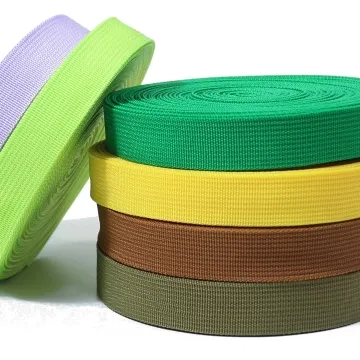
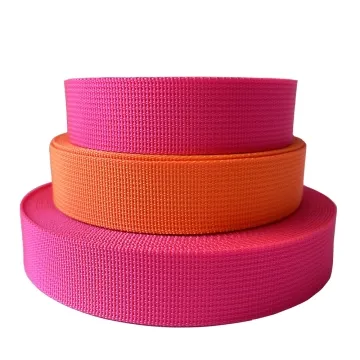
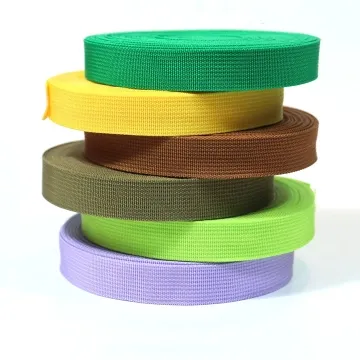
Open a product to see its listed specification. Custom colours, dimensions and order terms are confirmed for your project.
More product photos
Tell us what you are making
You can enquire before every detail is settled. Tell us the intended use and what you need help choosing; add dimensions or quantities if you know them.
What happens after your enquiry
We review the intended use and open specification questions first. Sample options, costs, minimum quantities and timing can then be discussed against that brief. Sending an enquiry does not place an order.
Request a relevant sample →