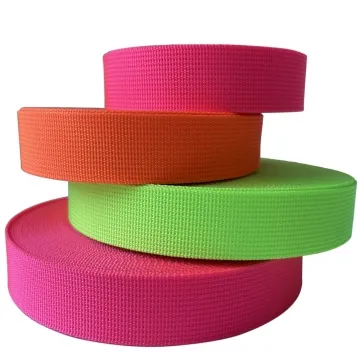
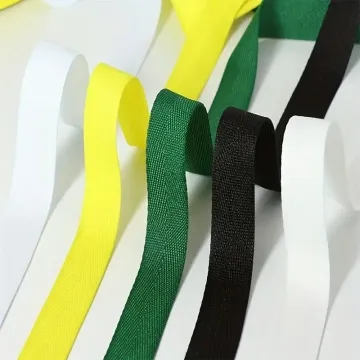
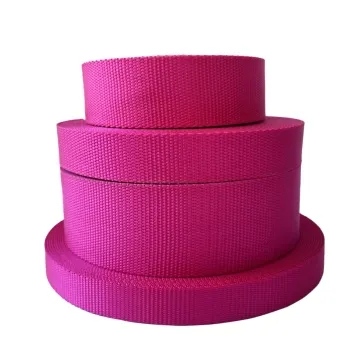
Polyester twill webbing specifications
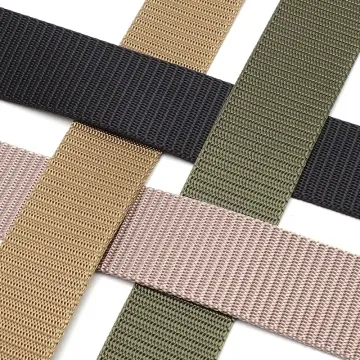
A diagonal texture can look different after folding or printing. Approve the twill direction, surface definition and folded thickness on a production-style sample.
Content updated
In this guide
Key choices for your project
A diagonal rib can change how a logo reads and how the tape catches the light. Compare both faces under the same lighting, then pass the sample through the chosen adjuster. Specify the approved face when only one side should remain visible.
- Diagonal direction
- Approved outward-facing side
- Grip across the ribbed surface
A reverse-face twill part can look like a colour mismatch
Imagine a pair of dark shoulder straps cut from the same polyester twill lot. One paired part is accidentally sewn reverse-face-out. On a construction whose face and back differ, its visible rib definition and sheen change, and a different surface meets the asymmetric adjuster. On the completed bag the pair appears mismatched even though the dyed lot is the same.
Mark the approved outward face, diagonal direction and named top-to-bottom orientation on the cutting plan. Build left- and right-hand strap routes through the actual hardware, then view paired parts from normal product angles. Record both visual alignment and adjustment behaviour before releasing the layout.
Control outward face and twill direction as separate production fields; colour approval alone cannot keep paired parts visually consistent.
Control paired-part orientation to prevent false shade differences
Compare paired parts with the approved face outward and the named end aligned in a fixed product view. Where the two faces differ, sewing one part reverse-face-out can change rib definition and sheen enough to resemble a shade mismatch. Mark face and end direction on every pattern piece, then review the assembled pair.
- Face arrow shown on every paired cut part
- Paired appearance under the product viewing angle
Thread both directions through asymmetric hardware
Build each actual left- and right-hand hardware path with tape face and end marked. Entry angle, bar geometry and contact face may differ between the routes. Compare pull effort, tracking and edge contact, then photograph the approved assembly. Check these variables before attributing a difference to the diagonal texture alone.
- Tracking in left- and right-handed threading
- Edge contact against each hardware bar
Specify the diagonal structure and its direction
The record connects the visible rib to cutting, folding, print placement, sewing and hardware travel.
Swipe to see all columns ↔
| Field | What to record | How to confirm |
|---|---|---|
| Twill construction | Fibre, yarn, construction code and approved physical sample | Compare face and back with retained cutting |
| Direction map | Approved face, diagonal direction and part orientation | Add arrows to every left/right cut piece |
| Finished dimensions | Width, thickness, mass per length and edge form | Measure conditioned sample at several positions |
| Surface appearance | Colour, sheen and rib definition under agreed viewing light | Compare paired parts at intended product angle |
| Assembly route | Fold direction, seam line, adjuster model and threading path | Build both handed configurations |
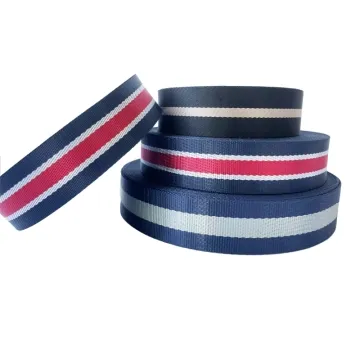
| Artwork relationship | Print or stripe position relative to rib and cut end | Overlay artwork on full-width production sample |
Twill angle and visual contrast depend on construction; the project defines acceptable appearance and hardware response.
Download specification worksheet ↓Carry twill direction from sample to cutting room
Identify face and diagonal
Label both sides of each candidate, trace the rib direction with an arrow and note how the surface changes under product lighting.
Map every oriented part
Mark face and named ends on left, right, folded and mirrored pieces, distinguishing same-face end-for-end rotation from flipping to the reverse face.
Test both hardware routes
Thread production-width samples through each handed adjuster path, then carefully compare tracking, pull effort, edge contact and recovery after adjustment.
Release a visual assembly reference
Photograph the approved paired layout, retain a signed sample and link its construction, orientation and hardware route to the cutting specification.
Direction errors hidden by a correct material name
Treating front and back as equivalent
Both sides may be usable but differ in rib definition, friction and sheen. Name the outward face for every visible component.
Sewing one part reverse-face-out
Where face and back differ, flipping one paired part changes the visible rib and sheen. Mark faces and inspect finished pairs after assembly.
Testing one threading direction
An asymmetric bar can meet the ribs differently when reversed. Build both left- and right-hand routes before approving adjustment behaviour.
Questions before you choose
Why choose a polyester twill webbing instead of plain weave?
Twill creates a diagonal surface and can change drape, hand and visual depth, but it is not a universal quality upgrade. Choose it when those traits suit the product, then compare thickness, buckle grip, edge behaviour and sewing against a plain-weave alternative.
Does the direction of a twill line matter in production?
Yes when the diagonal is visible or parts are paired. Specify the outward face and named end, then inspect the actual left and right routes, joins and folds. A different face or assembly path can alter appearance; confirm it on the proposed construction rather than assuming an end-for-end turn reverses the diagonal.
Products to start with
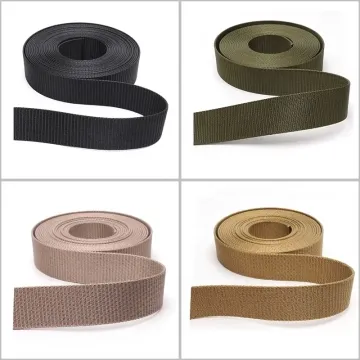
Open a product to see its listed specification. Custom colours, dimensions and order terms are confirmed for your project.
More product photos
Tell us what you are making
You can enquire before every detail is settled. Tell us the intended use and what you need help choosing; add dimensions or quantities if you know them.
What happens after your enquiry
We review the intended use and open specification questions first. Sample options, costs, minimum quantities and timing can then be discussed against that brief. Sending an enquiry does not place an order.
Request a relevant sample →