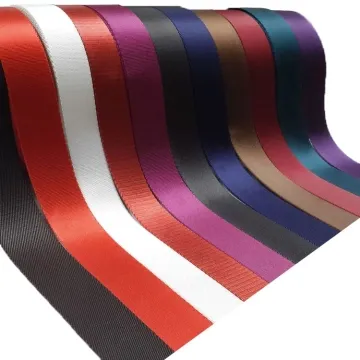
Why Webbing Slips Through a Buckle and How to Diagnose It
A strap can hold during a static hand pull and still creep longer while walking, carrying or cycling the adjustment. The cause may be threading, fit, surface, compression, hardware or loading.
Content updated
In this guide
Key choices for your project
First confirm the exact buckle model and threading path, then reproduce slip with marked webbing under the product's real load direction and movement. Change one variable at a time: rethread, verify width and compressed thickness, compare surface variants, then compare hardware. Do not treat a rougher strap as the automatic solution.
- Photograph both buckle faces and the complete threaded path.
- Mark the webbing at the exit to measure progressive movement.
- Repeat the cycle with controlled load, motion and adjustment length.
Diagnose buckle slip that appears during movement
Consider a shoulder strap that holds under a steady pull but lengthens as the wearer walks. The current tape is smoother and more compressible than the approved reference; a second buckle with the same nominal width has a different centre-bar radius.
Treat this as an interface diagnosis, not a request for rougher tape. Freeze one assembly, mark the buckle exit, reproduce the load cycle, then change routing, tape and buckle one at a time.
Identify a repeatable slip condition and the one interface change that stops it without making adjustment difficult.
Eliminate routing and fit errors first
A missed bar, reverse feed or wrong exit side reduces wrap and locking action. Next compare actual webbing width with the useful buckle opening, not only nominal labels. A narrow strip can wander sideways; a wide edge can ride up. Check both relaxed and compressed thickness, especially where a return creates two layers.
Separate surface from hardware geometry
Weave texture and finish change friction, while bar radius, tooth profile, slot clearance and material determine how that friction is used. A coarse tape may hold but become difficult to adjust or abrade quickly. Test candidate webbings on one unchanged buckle, then candidate buckles on one unchanged webbing to identify which interface changes the result.
Reproduce dynamic creep
Set a known strap length, apply representative tension and cycle the motion, unloading and reloading as the product does. Note movement per interval, tail behavior, edge curling and surface wear. Repeat after moisture or contamination only when relevant. Final acceptance and safe use depend on buyer-defined testing of the complete product, including stitching and hardware.
Record the buckle–webbing interface before comparing samples
Use one worksheet for the exact parts and the motion that causes creep. Nominal width alone cannot describe locking contact.
Swipe to see all columns ↔
| Field | What to record | How to confirm |
|---|---|---|
| Buckle model and revision | Model or revision, material and moulded face | Match the part to a drawing or master |
| Threading path | Bars, entry and exit sides, and tail direction | Photograph both faces, fully threaded |
| Tape fit | Actual width, edge curl and compressed layer stack | Measure the slot and fit all layers |
| Contact | Tape face, finish, bar radius, teeth and wear | Mark the face and retain paired samples |
| Movement | Load direction, set length, motion, pauses and relevant moisture | Mark a datum; report movement after defined cycles |
Loads, cycle counts and acceptance limits are project-defined. A diagnostic comparison does not create a safe working-load rating.
Download specification worksheet ↓Isolate one cause at a time
Lock the baseline assembly
Use one identified buckle, one tape lot and the production threading path. Mark the exit datum and record the starting adjustment length and layer stack.
Reproduce the reported creep
Run a steady pull and the representative movement cycle separately. Record progressive movement, sideways travel, edge lift and the point at which holding changes.
Clear routing and fit errors
Rethread against the controlled image, then verify width, useful slot clearance and compressed layers. The output is a corrected baseline or a confirmed interface problem.
Run controlled A/B comparisons
Hold the buckle constant while comparing tape surfaces, then hold the chosen tape constant while comparing buckles. Recheck adjustment force, wear and slip before approval.
Three misleading shortcuts
Specify the roughest available tape
More texture may increase holding but also raise adjustment force, abrade edges or damage printed detail. Balance holding, adjustability and wear on the same assembly.
Accept nominal width as proof of fit
Two nominally matching parts can differ in useful clearance, edge profile and compression. Confirm actual tape dimensions and the buckle geometry that touches it.
Approve after one hard static pull
A constant pull can miss unloading, sideways movement and ratcheting through the bars. Reproduce the product’s repeated motion and record incremental creep instead.
Questions before you choose
Why does the strap slip only while the product is moving?
Changing load can briefly reduce contact, shift the strap sideways or ratchet it through the bars. A constant pull misses that behavior, so the diagnostic test must reproduce the motion cycle.
Should I replace the webbing or the buckle first?
Confirm threading and dimensions before replacing either. Then hold one component constant while carefully comparing the other. This reveals whether surface and compression or hardware geometry primarily drives the slip.
Products to start with
Open a product to see its listed specification. Custom colours, dimensions and order terms are confirmed for your project.
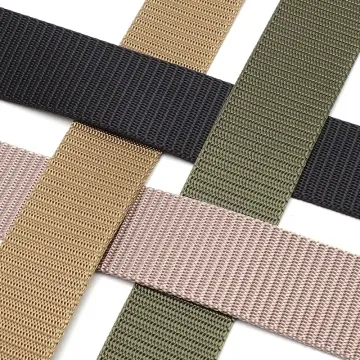
More product photos
Tell us what you are making
You can enquire before every detail is settled. Tell us the intended use and what you need help choosing; add dimensions or quantities if you know them.
What happens after your enquiry
We review the intended use and open specification questions first. Sample options, costs, minimum quantities and timing can then be discussed against that brief. Sending an enquiry does not place an order.
Request a relevant sample →