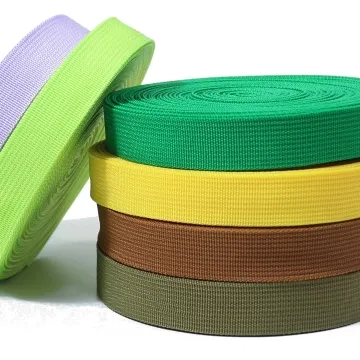
Webbing for laptop bag straps
Laptop bag straps must work with structured fabric and detachable clips. Review the shoulder section and short handle separately, then compare their colour in the finished bag.
Content updated
In this guide
Key choices for your project
Test the strap with the laptop and accessories the bag is designed to carry. A shoulder pad can hide excessive strap movement beneath it. Check the pad channel, swivel attachment and adjustment together, then inspect the seams after repeated lifting.
- Strap movement inside the pad
- Swivel attachment geometry
- Seams after lifting cycles
Will the detachable strap keep the bag level?
Measure both attachment points from a common bag datum and compare the effective strap path through each swivel hook. Load the intended laptop and accessories, then observe whether the bag tilts or one hook rotates against an edge. Correct geometry before changing webbing stiffness to mask an unbalanced layout.
- Attachment-point height from one datum
- Bag angle with the intended contents
When a comfortable strap still makes the loaded bag unstable
Consider a structured laptop bag that feels comfortable during a short fitting, yet tilts forward once the charger and documents are added. The shoulder pad then walks along the tape, one swivel hook bears against its frame, and the strap edge touches a light jacket. Increasing tape stiffness would not correct an attachment-point or load-distribution error.
First map the packed contents and the two anchor datums. If the empty bag is level but the packed bag rotates, revise compartment loading or anchor geometry; if the pad migrates while the bag stays level, review pad-channel clearance, tape surface and adjuster position separately.
Separate bag balance, pad control and clothing contact before changing the webbing construction.
Products to start with
Open a product to see its listed specification. Custom colours, dimensions and order terms are confirmed for your project.
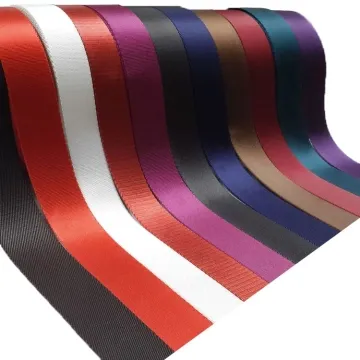
More product photos
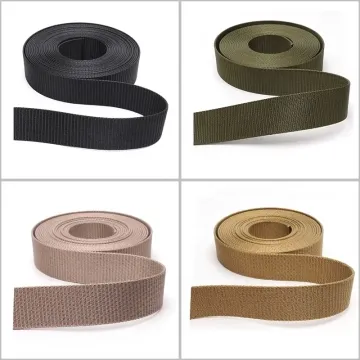
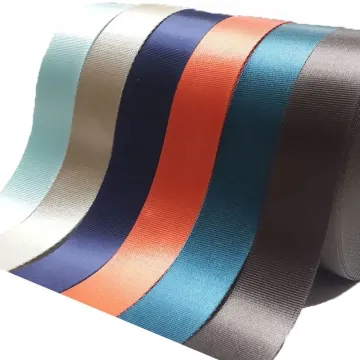
Could the dark strap transfer colour to business clothing?
Rub the finished strap, shoulder-pad underside and cut ends against representative shirt and jacket fabrics under the care conditions relevant to the product. Inspect transfer at contact points rather than only the webbing face. Record the approved shade, finish and companion fabric together so repeat orders use the same comparison.
- Transfer from face, pad underside and ends
- Approved comparison fabric and viewing condition
Build the strap specification around the packed bag
Record each strap zone and interface so the shoulder section, adjuster ends and short handles are not treated as one interchangeable tape requirement.
Swipe to see all columns ↔
| Field | What to record | How to confirm |
|---|---|---|
| Packed load case | Laptop size, accessory locations and buyer-defined representative contents | Weigh and photograph the agreed packed configuration |
| Anchor geometry | Left and right datums, attachment angle and usable swivel clearance | Measure on a complete bag shell or approved pattern |
| Strap zones | Finished lengths, width transitions, folds and adjustment range | Mark each zone on the assembly drawing |
| Shoulder pad interface | Channel width, lining, entry radius and permitted pad movement | Thread production-intent tape through the finished pad |
| Hardware pair | Hook, adjuster and keeper references with threading direction | Approve actual hardware on the completed strap |
| Contact materials | Jacket or shirt reference, care state and viewing condition | Compare face, edges and pad underside after the agreed trial |
The representative contents and clothing fabrics are project inputs, not universal laptop-bag test conditions.
Download specification worksheet ↓Verify balance, movement and contact on one complete bag
Map load and attachment datums
Place the agreed contents in their compartments, record their positions and measure both strap anchors from one bag datum. The output is a repeatable loaded configuration.
Build each strap zone
Assemble hardware ends, adjustable section, shoulder pad and short handle with production-intent folds and seams. Label every tape construction and its direction.
Run a carry sequence
Adjust through the intended range, lift, walk, set down and rotate the packed bag. Record bag angle, pad movement, hook orientation and edge contact.
Inspect interfaces after handling
Open the pad and examine tape, lining, seams and hardware folds. Compare marks on companion fabric and decide whether geometry, surface or sewing needs revision.
Laptop-bag decisions that hide the real cause
Specifying only total carried mass
Equal mass can create different moments when contents sit in different compartments. Record the load layout and anchor datums with the target mass.
Letting the pad conceal tape movement
A comfortable pad may mask sliding, bunching or an adjuster entering the channel. Mark tape position and inspect inside the pad after handling.
Approving colour on the webbing face alone
Clothing can contact edges, cut ends and the pad underside. Include those surfaces and representative garment fabrics in the comparison.
Questions before you choose
What should I prioritise when choosing a laptop bag shoulder strap?
Balance shoulder comfort with adjuster fit and the weight of the loaded bag. A soft wide section may need narrower, firmer ends. Build the complete strap and inspect slip, edge feel, attachment seams and how the bag sits while walking.
Should the laptop bag handle and shoulder strap use the same webbing?
Only if one construction suits both jobs. A short handle needs comfortable folding and firm attachment; an adjustable shoulder strap must also pass and hold in hardware. Prototype both components separately and compare thickness, hand, sewing and loaded behaviour.
Tell us what you are making
You can enquire before every detail is settled. Tell us the intended use and what you need help choosing; add dimensions or quantities if you know them.
What happens after your enquiry
We review the intended use and open specification questions first. Sample options, costs, minimum quantities and timing can then be discussed against that brief. Sending an enquiry does not place an order.
Request a relevant sample →