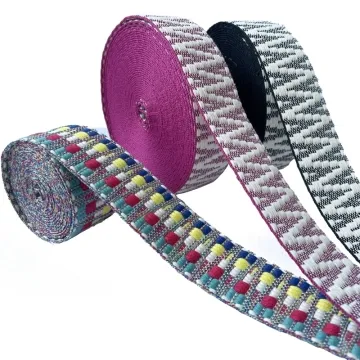
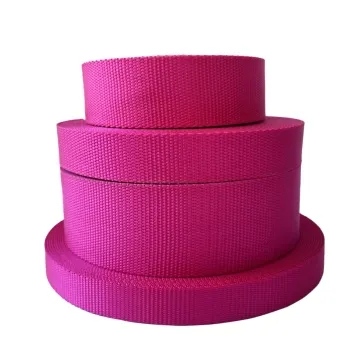
Custom printed webbing supplier
Start with the finished strap layout: visible side, repeat and sewing area. A print sample on the chosen base tape is more useful than a screen mock-up.
Content updated
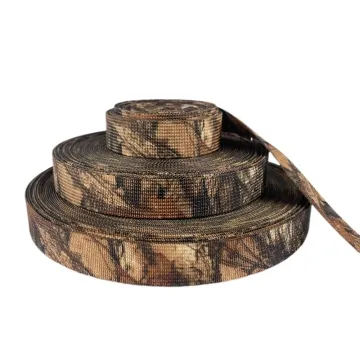
In this guide
Key choices for your project
Position the print on a drawing of the finished strap, including seams and folds. A continuous pattern can be cut anywhere; a centred logo requires registration and a cutting plan. Ask whether the quote includes that positioning work before comparing metre prices.
- Continuous or positioned print
- Logo clearance from seams
- Cutting registration requirements
A clear first repeat can hide later drift
Imagine a centred logo matching the approval at the roll start. Farther along, it moves toward one edge, so the cutting reference no longer places straps consistently. A later base-tape substitution uses the same file but changes edge sharpness, colour and hand. The approval cannot describe either change.
Link substrate identity to the artwork revision and retain labelled trial sections from separated positions. Measure registration from the cutting reference. Cut and sew representative product pieces, expose them to the intended rubbing or cleaning sequence, and compare them with the approved physical standard under agreed viewing conditions.
Approve a printed construction, registration system and assembled use result, with substrate identity recorded on the reference.
Set roll-inspection rules for positioned artwork
Define how often a centred logo or other positioned motif will be checked along the roll and which reference mark controls its location. A good first repeat does not show gradual sideways or lengthwise drift. Retain labelled sections from separated roll positions and link any cutting decision to the measured registration, not to a visual impression.
- Registration measured at separated roll positions
- Reference mark used by the cutting process
Reapprove the print when the base tape changes
Put the substrate code on the artwork approval. A base tape that looks equivalent can absorb, reflect or texture the print differently and may change edge sharpness or perceived colour. If fibre, weave, finish or base shade changes, run the approved file again and compare it with the retained printed standard.
- Base-tape code on the print approval
- Retained printed standard used after substrate changes
Keep artwork, base tape and roll position linked
The brief should make print approval repeatable during cutting, assembly and later substrate review.
Swipe to see all columns ↔
| Field | What to record | How to confirm |
|---|---|---|
| Base tape | Item code, construction revision, fibre, weave, finish, base shade, width and face | Retain a labelled unprinted reference |
| Artwork file | Revision, finished scale, colours, repeat and face direction | Output the approved revision at actual width |
| Print construction | Method, ink or transfer system, layers and target hand | Retain an identified printed trial |
| Registration | Reference mark, centre or edge offset, repeat length and inspection positions | Measure labelled sections along the roll |
| Product layout | Allowed cutting interval, folds, seams, hardware and visible artwork | Cut and assemble representative pieces |
| Approval conditions | Lighting, background, rubbing or cleaning sequence and physical master | Compare sample and master together |
Print appearance and durability remain buyer-defined for the actual substrate, artwork and intended product conditions.
Download specification worksheet ↓Turn an approved file into controlled printed parts
Lock the base and file
Record the exact tape identity and artwork revision together before selecting trial settings or producing any positioned reference marks.
Print separated roll sections
Run the proposed construction and retain labelled pieces from early, middle and later positions, measuring registration from the cutting reference.
Cut and assemble parts
Use the intended cutting rule, folds, seams and hardware so partial motifs, drift and added stiffness appear in product context.
Condition and compare
Apply the agreed rubbing or cleaning sequence, then review colour, detail, hand and registration beside the approved physical master.
Shortcuts that weaken printed-webbing approval
Selecting a method by name alone
Print methods interact with fibre, base shade, finish and artwork. Compare the proposed construction after the intended product-use sequence.
Inspecting only the first repeat
A clear roll start cannot reveal sideways or lengthwise drift. Measure registration on labelled sections taken from separated roll positions.
Reusing approval after a tape change
An equivalent-looking substrate can alter absorption, texture, colour and sharpness. Reprint the approved file whenever the recorded base construction changes.
Questions before you choose
Which printing method is best for custom webbing?
Choose from the artwork, fibre, base colour, required hand and expected rubbing or cleaning. A method that gives bright colour on one tape may feel stiff or lose detail on another. Sample the production construction and evaluate it after the intended use cycle.
What artwork should I send for printed webbing?
Send editable or high-resolution artwork at finished tape width with colour references, repeat length, face direction and a marked cutting or sewing zone. Include the product layout so logos are not hidden by buckles, folds or seams. Keep a revision number on every approval.
Products to start with
Open a product to see its listed specification. Custom colours, dimensions and order terms are confirmed for your project.
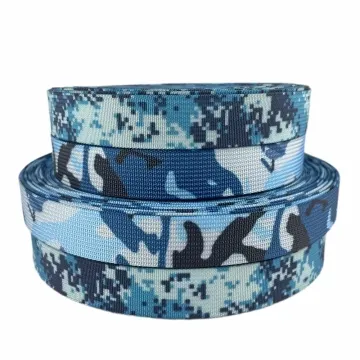
More product photos
Tell us what you are making
You can enquire before every detail is settled. Tell us the intended use and what you need help choosing; add dimensions or quantities if you know them.
What happens after your enquiry
We review the intended use and open specification questions first. Sample options, costs, minimum quantities and timing can then be discussed against that brief. Sending an enquiry does not place an order.
Request a relevant sample →